Script Studio
Write, paste, fact-check and polish a script, then send it straight to Auto Video.
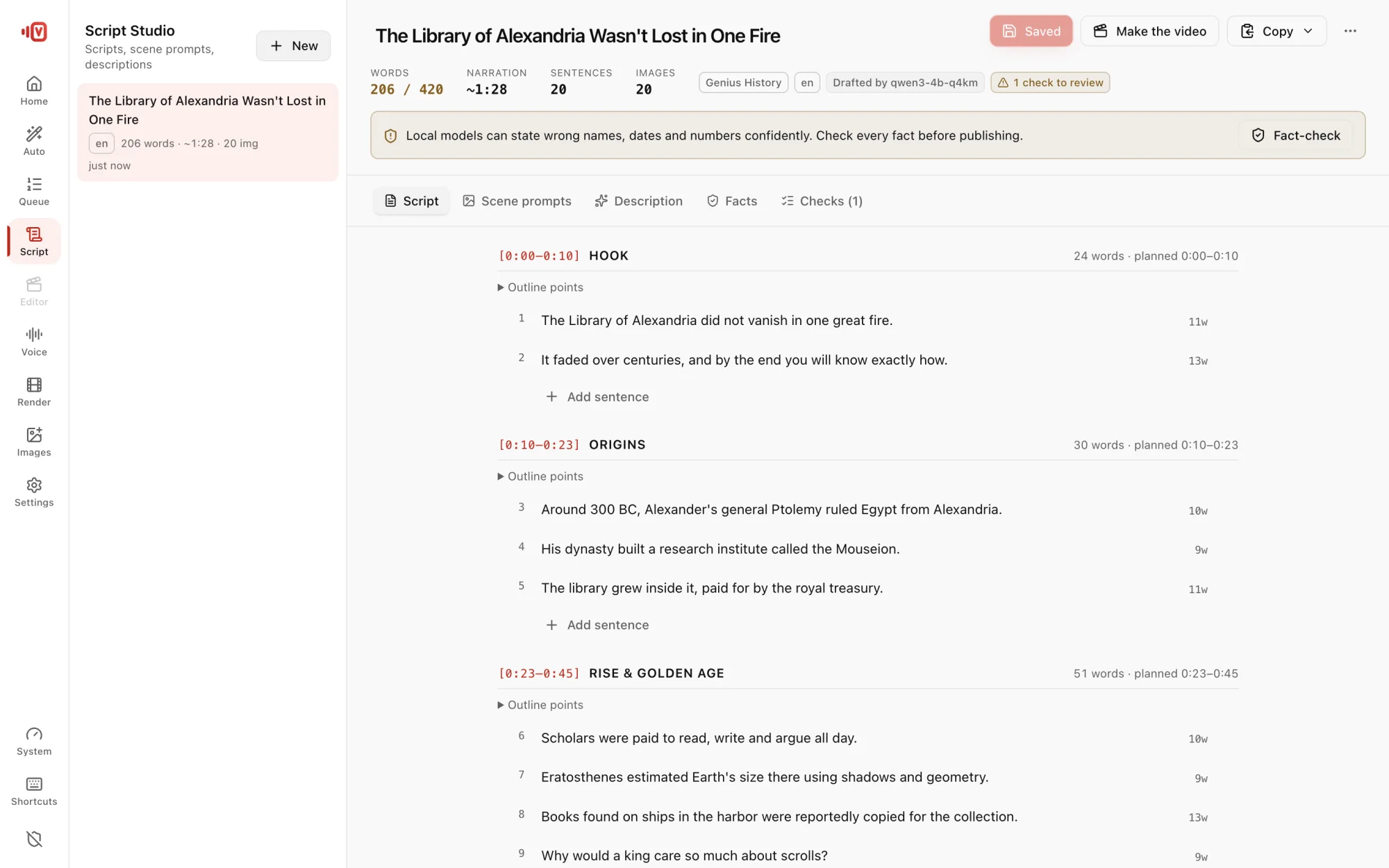
Write a script
- Click Script in the rail, then Write with AI.
- Type a topic, or click Suggest topics in this template's style for ideas.
- Pick a Template, Language and length. The Structure preview shows how long each section will be.
- Optional: facts to include, target keywords, Write scene prompts, Write the YouTube description.
- Press Write script.
Or paste one
Use Paste a script. Headings like [0:00–0:30] HOOK or ## Hook become sections.
The editor tabs
- Script: every sentence, with words vs target and narration length.
- Scene prompts: what each scene image should show.
- Description: YouTube description with chapters from the script's timings.
- Facts: names, dates and numbers checked against Wikipedia: Supported, Source differs or Unverified, with a one-click rewrite.
- Checks: the template's rules, re-checked on every save.
Make the video
Press Make the video and Auto Video opens with your title, language, length, script and style already filled in.
Copy or export the script with timestamps, narration only, scene prompts or description as .txt.