Your first video in 5 minutes of work
Type a topic, choose a voice, press one button. The app does the rest while you do something else.
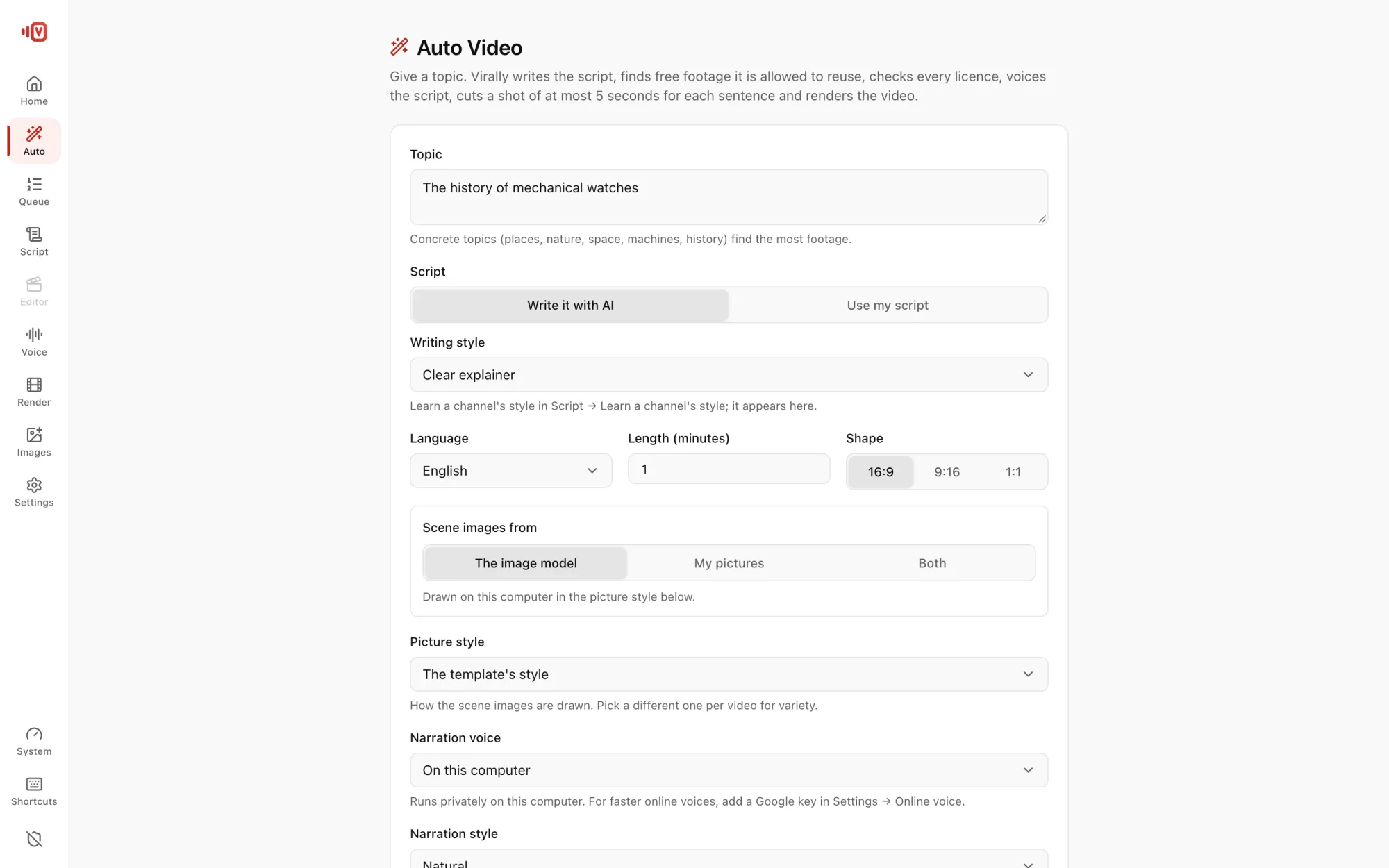
Make it
- Click Auto in the left rail.
- Type a Topic, for example “How mechanical watches work”. Concrete topics (places, nature, space, machines, history) find the most footage.
- Leave Write it with AI on, pick a Language and a Length (start with 1–2 minutes).
- Pick a Narration voice. Online · free Google voice works right away with no key.
- Press Make the video.
While it runs
You see each step: Script → Footage → Narration → Match shots → Scene images → Motion graphics → Render → Thumbnails and reels, with “Ready at about 21:40 · about 25 min left”. You can close the screen; the job keeps going and the computer stays awake.
When it's done
- Play it right there, or Open in the editor to change anything.
- Grab the YouTube title, description & tags, the 3 thumbnails and the 3 reels.
- Credits lists every clip and its licence.
Happy with it? Queue five more with Add to queue and let them run overnight.