Type a topic. Get a finished video.
Virally writes the script, records the voice, finds footage you're allowed to use, adds motion graphics and captions, then hands you thumbnails and Shorts. All on your own computer.
- No account
- No watermark
- Arabic & English
- Your files stay on your PC
How it works
Five steps. One button.
Do each step yourself, or press Make the video and let Virally do all five while you get on with your day.
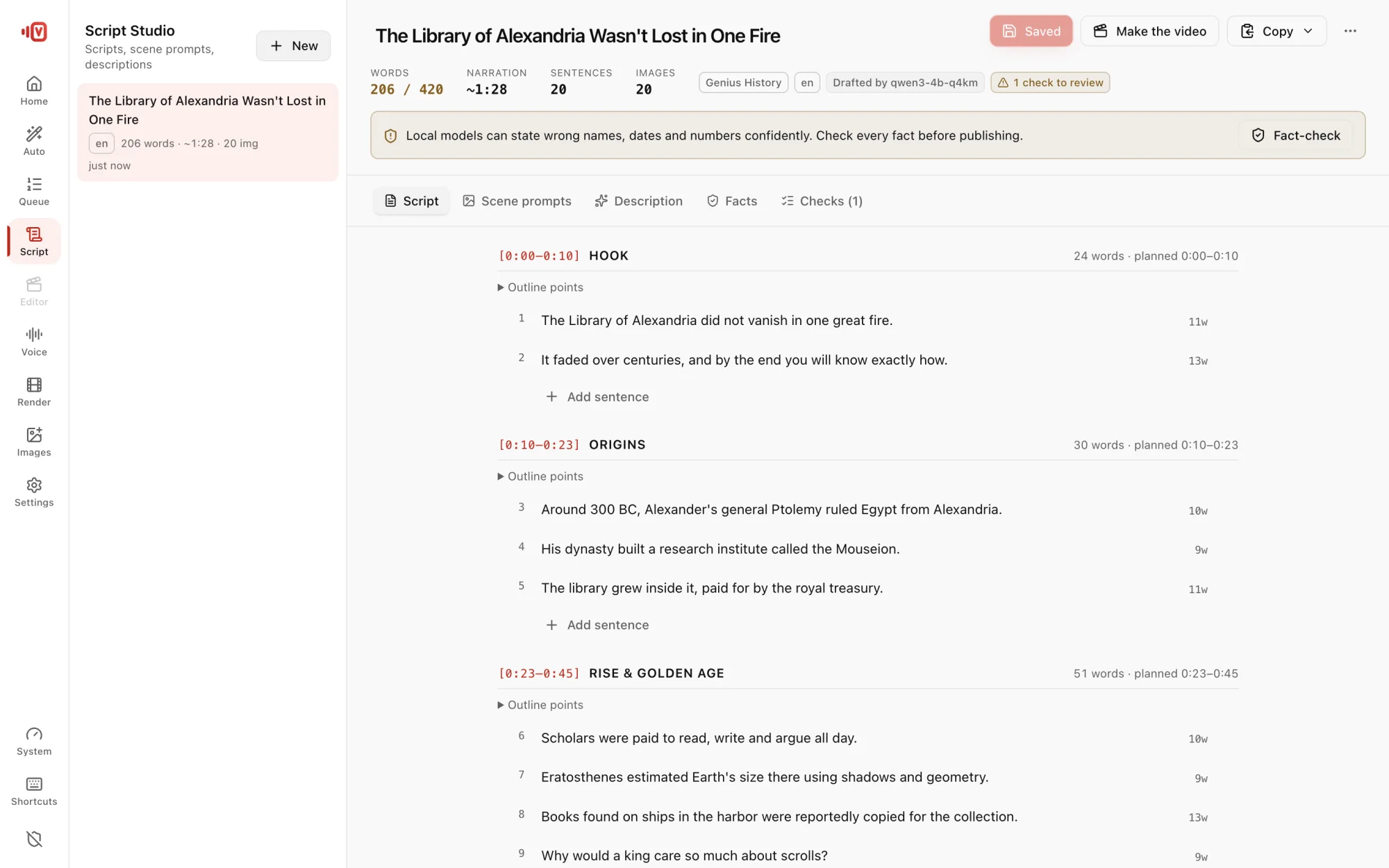
- AI writes 30 s to 15 min in 11 languages
- Paste your script and the voice says exactly your words
- Learn the writing style of a channel you like
- Fact-check names, dates and numbers against Wikipedia
What's new
Fresh in Virally
The latest things we've added to the app.
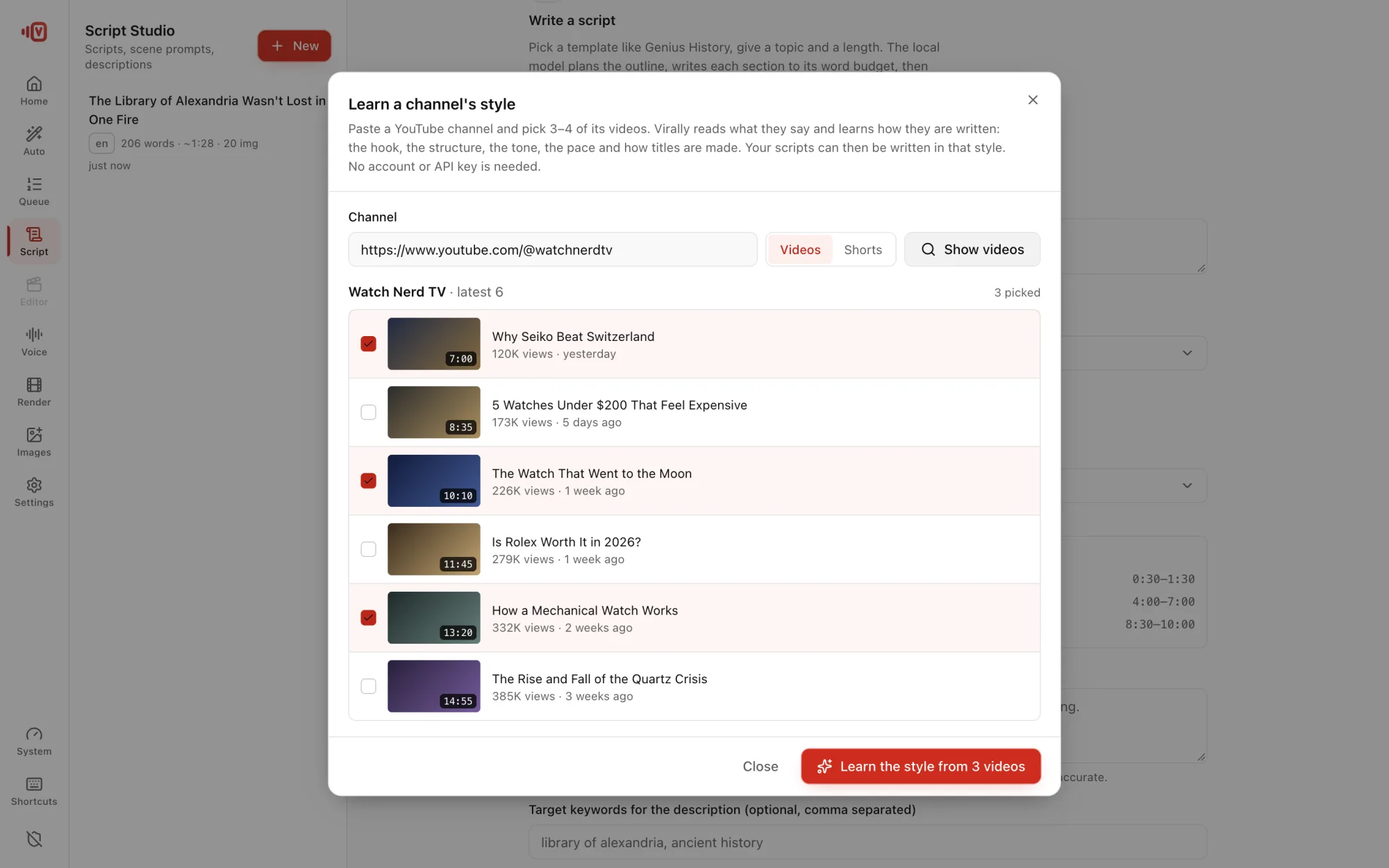
Learn a channel's style New
Paste a YouTube channel, pick 3–4 of its videos, and Virally learns how they're written: pace, sentence length, how they open. Then it suggests video ideas based on that channel's most-viewed videos.
Thumbnails that get clicks New
3 variants with 2–4 big words that add to the title, never repeat it.
Shorts & Reels, automatically New
Every video also gives you vertical clips cut where the narration pauses.
Your own voice New
Record 3–30 seconds once. Every video after that can speak in your voice.
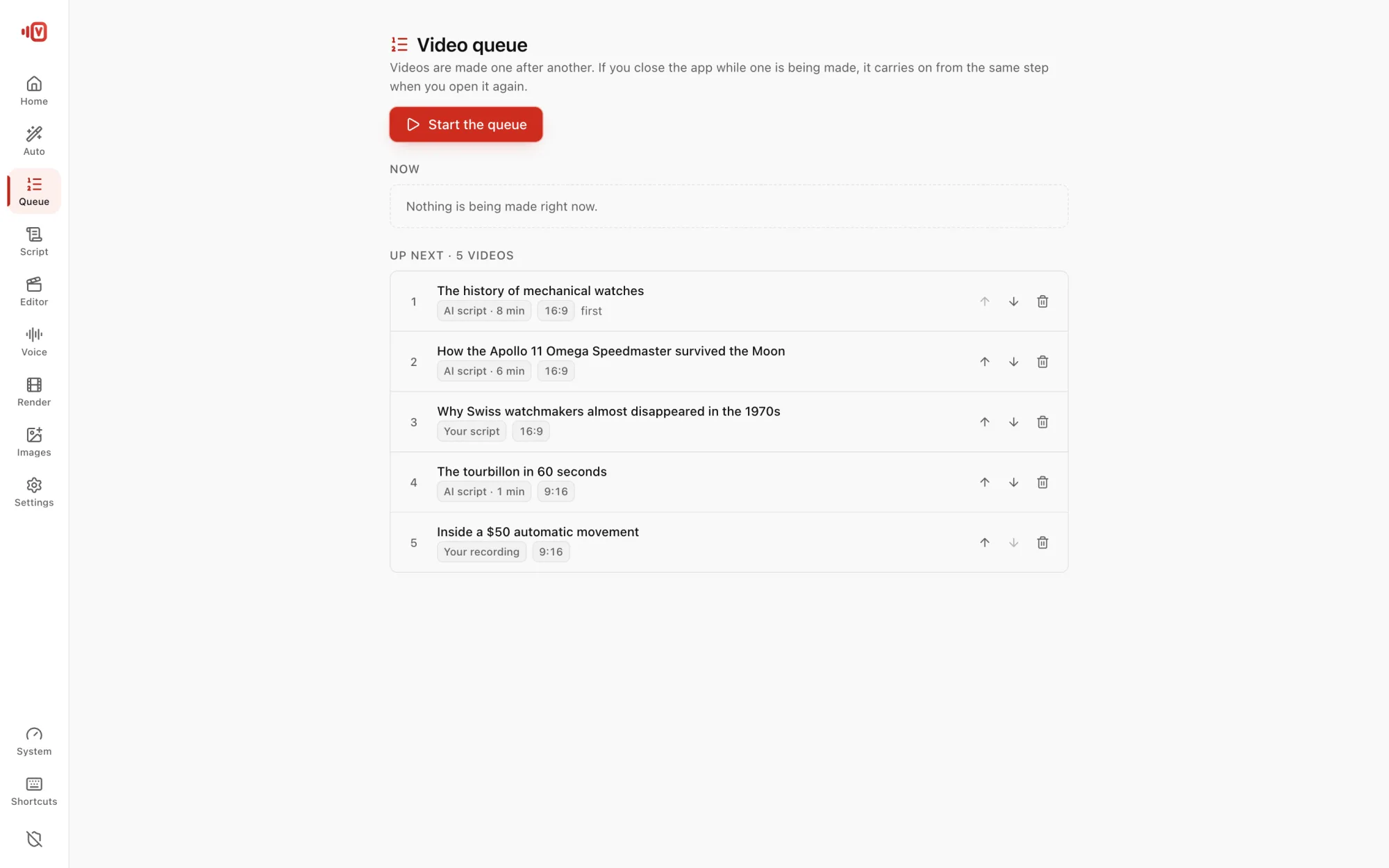
Queue and Continue New
Line up a week of videos. If one stops, Continue picks up from that step.
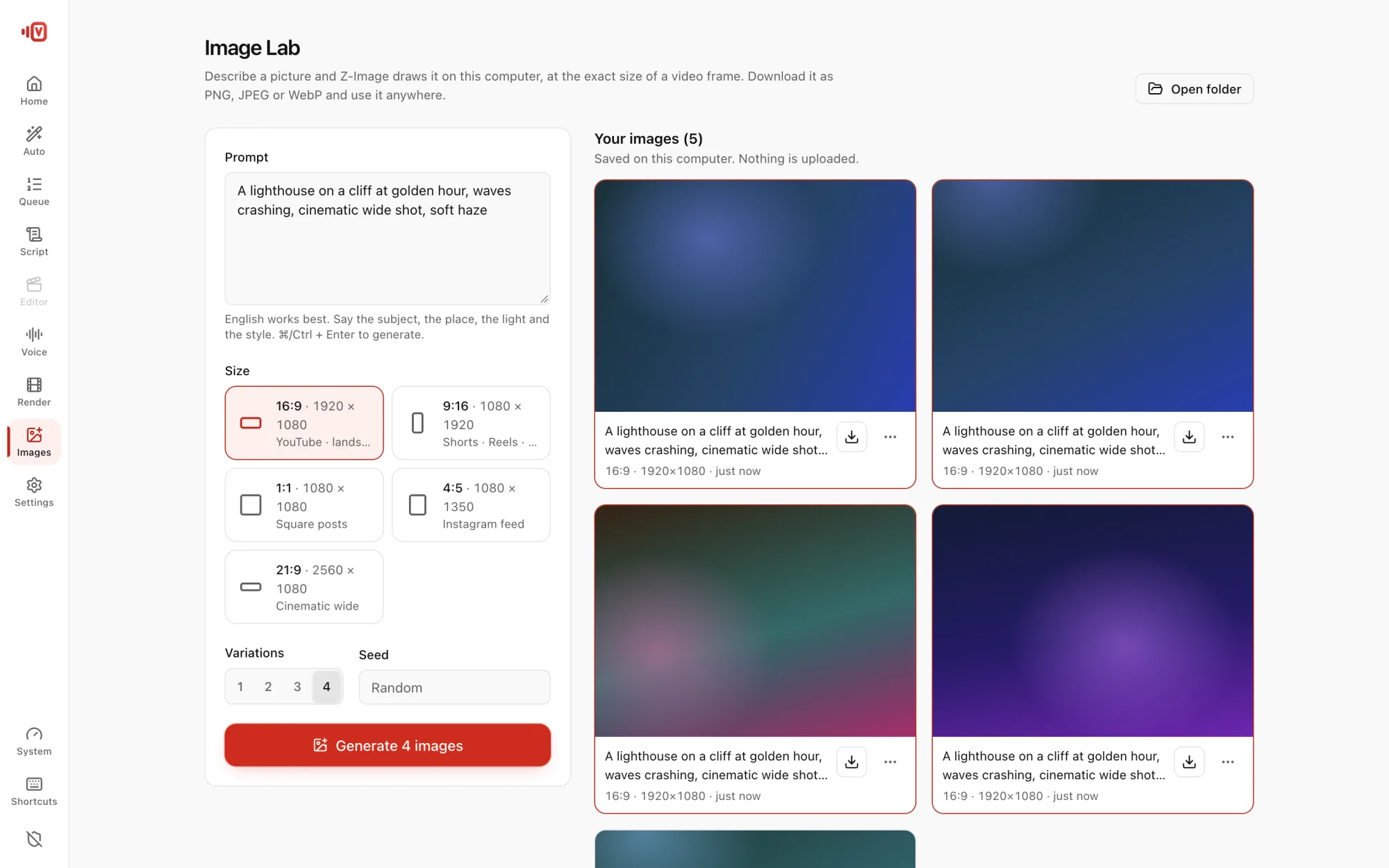
Your pictures, any image model New
Use your own photos as scene images, or an image model you already have: FLUX, SANA, SDXL and more.
Fact-check New
Names, dates and numbers are checked against Wikipedia, with a one-click rewrite.
Features
Everything a video channel needs
Every feature has a short guide. Click a card to read it.
Auto Video
Type a topic, press one button, get the whole video.
Read the guideScript Studio
Templates, AI topic ideas, scene prompts and a YouTube description.
Read the guideChannel style
Write like the channels you admire, without copying them.
Read the guideVoices
Free Google voice, natural local voice, or a clone of your own.
Read the guideFootage & links
Your clips, YouTube links and free archives, cut into shots of 5 s or less.
Read the guideLicence & watermark check
Only clips you may reuse, and no logos or burned-in text.
Read the guideScene images
Drawn on your computer when no footage fits a sentence.
Read the guideMotion graphics
Always-moving titles, numbers, charts and quotes.
Read the guideCaptions & titles
4 caption styles, lower thirds, SRT and VTT files.
Read the guideFull editor
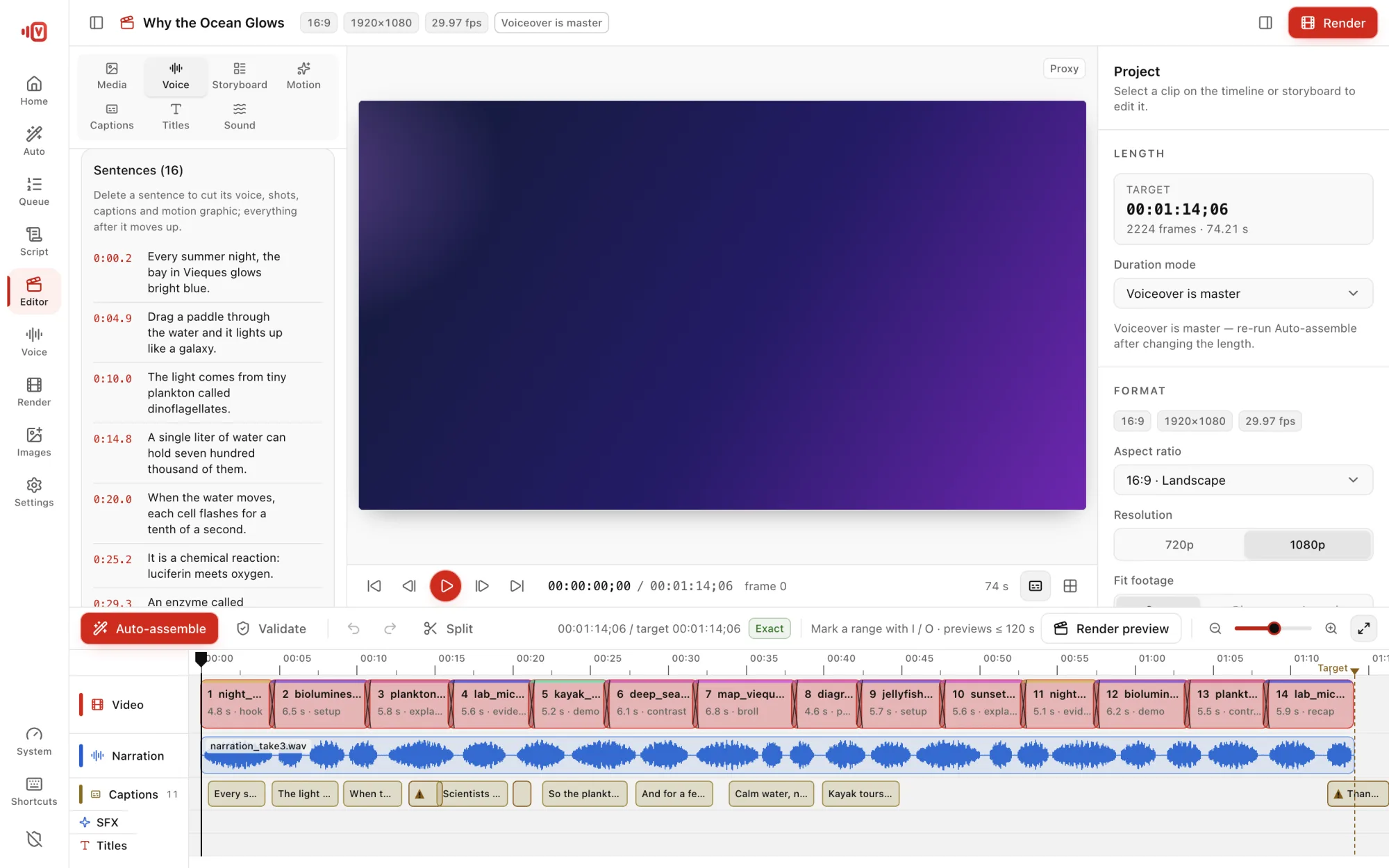
Timeline, storyboard, trims, transitions. Delete a sentence and everything follows.
Read the guidePublish kit
Thumbnails, Shorts, title ideas, tags and chapters.
Read the guideVideo queue
Many videos in a row, with time left for each.
Read the guideUse cases
Made for faceless channels, teachers and brands
Pick the kind of video. The pacing, the footage order and the graphics follow.
History and documentaries
Long-form stories told in order, with archive footage, dates and quotes.
- 10–15 minute videos in one run
- Date cards and quotes appear by themselves
- Archive-film look, if you like it
All 14 video types
Examples
Made with Virally
Short excerpts of 10-minute videos, each made in one run: real footage, a free voice, captions and motion graphics.
Footage credits (19)
- Balance wheel · Public domain
- Watch movement Feron · CC BY-SA 3.0 fr
- Chronograph movement Omega 1861 · CC BY-SA 2.0
- Buren 1000 movement · CC BY-SA 4.0
- Self-winding watch backside · CC BY-SA 4.0
- Pocket watch clockwork · CC BY-SA 4.0
- Harrison H4 clockwork · CC BY-SA 4.0
- Seiko Astron · CC BY-SA 4.0
- Junghans Mega radio watch · CC BY-SA 3.0
- Apple Watch sensors · CC BY-SA 3.0
- Valjoux 7750 chronograph dial · CC BY-SA 3.0
- Watch movement · Jacoci · Creative Commons Attribution-Share Alike 3.0
- Tourbillon movement Stuhrling · Mahanga · Creative Commons Attribution-Share Alike 2.0
- Gravity escapement · Haraldmmueller · Creative Commons Attribution-Share Alike 3.0
- Cross-beat escapement · Manfredgoellner · Creative Commons Attribution-Share Alike 4.0
- Dead beat escapement · Marcelo.falcao · Creative Commons Attribution-Share Alike 3.0
- Grasshopper escapement · Manfredgoellner · Creative Commons Attribution-Share Alike 4.0
- Hettich-Schwebegang-Uhrwerk in Aktion · Lewenstein · Creative Commons Attribution-Share Alike 4.0
- Stührling Original Imperial Tourbillon in Midnight Blue - Movement Spinning · Jacopo Werther · Creative Commons Attribution-Share Alike 2.0
Footage credits (17)
- Rolex Deepsea diver · CC0
- Steeldive diving watch · CC0
- GMT watch · CC BY 4.0
- Chronograph pushers · CC BY 4.0
- Chronograph dial · CC BY-SA 4.0
- Poljot Buran chronograph · CC BY-SA 4.0
- Pilot watch · CC BY-SA 4.0
- Omega Speedmaster · CC BY-SA 4.0
- Trench watch · CC BY-SA 4.0
- Field style wristwatch · CC BY-SA 4.0
- Dress watch Corum · CC BY-SA 3.0 fr
- Watch collection · CC BY-SA 4.0
- Watch movement · Jacoci · Creative Commons Attribution-Share Alike 3.0
- Tourbillon movement Stuhrling · Mahanga · Creative Commons Attribution-Share Alike 2.0
- Stührling Original Imperial Tourbillon in Midnight Blue - Movement Spinning · Jacopo Werther · Creative Commons Attribution-Share Alike 2.0
- Waltham pocket watch · JayCubby · Creative Commons Attribution-Share Alike 4.0
- Hettich-Schwebegang-Uhrwerk in Aktion · Lewenstein · Creative Commons Attribution-Share Alike 4.0
Footage credits (19)
- Titanic in Southampton · Public domain
- Titanic 3 · Public domain
- Titanic launch 31 May 1911 · Public domain
- Titanic and Olympic · Public domain
- Titanic sea trials · Public domain
- Captain Smith and Purser McElroy · Public domain
- Titanic leaving Cobh · Public domain
- Titanic in color · Public domain
- Titanic iceberg · Public domain
- Titanic iceberg 1912 · Public domain
- Lifeboat 6 · Public domain
- Survivors in New York · Public domain
- Luxuries versus lifeboats cartoon · Public domain
- Swimming pool of sister ship Olympic · Public domain
- Titanic wreck bow · Public domain
- Titanic Disaster - Genuine Footage (1911-1912)(enhanced) · R8cocin8 · Public domain
- Titanic Disaster - Genuine Footage (1911-1912) · British Pathé · Public domain
- KSC-04-S-00098 · NASA or National Aeronautics and Space Administration · Public domain (NASA media)
- RMS Titanic- Fascinating Engineering Facts · Bill Hammack Steve Kranz Sahil Patel · CC BY-SA 4.0
Footage credits (30)
- Jack King's Apollo 11 Launch Commentary o4OBKOlgmfo · Eatcha · Public domain
- A New Look at the Apollo 11 Landing Site · Kesäperuna · Public domain
- Apollo 11 Rare NASA Films from the National Archives · Victorgrigas · Creative Commons Attribution 3.0
- Apollo 11 Official Trailer | Neil Armstrong first man on the moon · Smash That Trailer · Creative Commons Attribution license (reuse allowed)
- The Delta Symbol- An Origin Story · Dave Grim · Public domain
- Vice President Pence Speaks at Kennedy for Apollo 11 Anniversary · NASA NASA/Glenn Benson · Public domain (NASA media)
- Man on the Moon · Purdue University · Creative Commons Attribution license (reuse allowed)
- NASA Acting Administrator Sean Duffy- We’re Going Back to the Moon – and Staying (NHQ 2025 0908 NASA Acting Administrator Sean DuffyAmerica Will Win the Second Space Race) · NASA Headquarters · Public domain
- Mónica Mihánovich experiencia Apollo 11 · Casa Rosada · CC BY 2.5 ar
- Apollo 11 Launches Humans to the Moon · APOD Videos · Creative Commons Attribution license (reuse allowed)
- What’s Next in Semiconductors · IBM Research · CC BY 3.0
- Taped Q&A with Michael Collins · NASA NASA/Chris Chamberland · Public domain (NASA media)
- Apollo 11 in Lunar Orbit 19-Jul-1969 · catguta · Creative Commons Attribution license (reuse allowed)
- [FREE FOR PROFIT] Astronauts | Apollo 11 Remix | Space Type Beat · J's Beats · Creative Commons Attribution license (reuse allowed)
- Apollo 11 50th Gala - Broll · NASA NASA/Cory Huston · Public domain (NASA media)
- The Untold Secrets of the Space Race: How Apollo Changed History · Wise Owl History Tales · Creative Commons Attribution license (reuse allowed)
- Inside KSC! for April 17, 2020 · NASA NASA · Public domain (NASA media)
- The Moon Landing: The Race That Redefined Human History | Apollo 11 Documentary · Explore With History · Creative Commons Attribution license (reuse allowed)
- Moon Mountain Name Honors NASA Mathematician Melba Mouton · NASA NASA's Ames Research Center · Public domain (NASA media)
- The Space Race | 3 | The Decisive Round | Humans Landing on the Moon | Apollo Missions · Sharafestien - شرفشتــاين (Sharafestien) · Creative Commons Attribution license (reuse allowed)
- KSC-04-S-00294 · NASA or National Aeronautics and Space Administration · Public domain (NASA media)
- Apollo 11 Moon Landing #apollo11 #moonlanding #moon #moonwalk #usa #nasa #space #universe · Guilherme Ettiene Silva D Agostini · Creative Commons Attribution license (reuse allowed)
- Apollo 11 - 20th Anniversary Crew Interviews · NASA NASA · Public domain (NASA media)
- Jack King's Apollo 11 Launch Commentary · Humanoid History (Humanoid History) · Creative Commons Attribution license (reuse allowed)
- Apollo 11 Crew Prelaunch Press Conference · NASA NASA · Public domain (NASA media)
- Apollo 11 Lunar Module docking with the Command and Service Module · Humanoid History (Humanoid History) · Creative Commons Attribution license (reuse allowed)
- What the Earth Looked Like from Gemini V · The Vintage Space · Creative Commons Attribution license (reuse allowed)
- NASA Needed Thousands of Men to Recover its Astronauts · The Vintage Space · Creative Commons Attribution license (reuse allowed)
- Missions we Lost When Apollo was Cancelled · The Vintage Space · Creative Commons Attribution license (reuse allowed)
- Apollo 11 Launch - Extended and Remastered · F-Man · Creative Commons Attribution license (reuse allowed)
Footage credits (17)
- Fagradalsfjall volcano eruption (helicopter view) · ArniGael · Creative Commons Attribution-Share Alike 4.0
- Hawaii Mount Kilauea's eruption opens new lava vent · Victorgrigas · Public domain
- Kilauea volcano eruption- Watch incredible footage of lava lake · Fumikas Sagisavas · Public domain
- Kīlauea volcano - Halemaʻumaʻu crater eruption in 2023 (C0608) · Trougnouf · Creative Commons Attribution-Share Alike 4.0
- Lava cascade in Hawaii · The Nature Box · Public domain
- Basalt lava flow eruption (15 August 2022) (Meradalir Valley, near Fagradalsfjall Volcano, Iceland) 2 - partial crater wall collapse · Fumikas Sagisavas · Creative Commons Attribution 2.0
- MT Slamet Volcano eruption on August 26,2014 · Matanya · Creative Commons Attribution 3.0
- 007 Volcano eruption of Litli-Hrútur in Iceland in 2023 Video by Giles Laurent · Giles Laurent · Creative Commons Attribution-Share Alike 4.0
- Daikoku1-320x240 · Submarine Ring of Fire 2006 Exploration, NOAA Vents Program · Public domain
- Planetary Scientist Profile: Lynn Carter · NASA Dan Gallagher · Public domain (NASA media)
- Kilauea Hotspot From Polar-Orbiting Satellites (CIRA 2024-06-04 - labels) · JPSS imagery: CSU/CIRA & NOAA/NESDIS · Public domain
- The Birth of a New Island: Press Materials · NASA Lauren Ward, James Garvin, Daniel A. Slayback, Vicki Ferrini, Cindy Starr, Ellen T. Gray, Kathryn Mersmann · Public domain (NASA media)
- Kilauea Hotspot From Polar-Orbiting Satellites (CIRA 2024-06-04 - nolabels) · JPSS imagery: CSU/CIRA & NOAA/NESDIS · Public domain
- KSC-04-S-00210 · NASA or National Aeronautics and Space Administration · Public domain (NASA media)
- Kilauea Hotspot From Polar-Orbiting Satellites (CIRA 2024-06-04 - nolabels portrait) · JPSS imagery: CSU/CIRA & NOAA/NESDIS · Public domain
- Planetary Scientist Profile: Brent Garry · NASA David Ladd · Public domain (NASA media)
- Mount Erebus Hotspot Seen from Polar-Orbiting Satellites (CIRA 2024-04-04 - nolabels) · JPSS imagery: CSU/CIRA & NOAA/NESDIS · Public domain
Footage credits (18)
- Sphinx and Khafre pyramid · CC BY 2.0
- Sphinx Khafre and Khufu · CC0
- Sphinx Khafre Khufu 2 · CC0
- Great Pyramid 1 · CC0
- Great Pyramid 2 · CC0
- Great Pyramid 3 · CC0
- Great Pyramid 4 · CC0
- Great Pyramid 5 · CC0
- Sphinx and Khufu pyramid · CC BY 2.0
- Giza 1870 photograph · CC0
- Giza Bonfils photograph · CC0
- Giza pyramid complex · CC BY 2.0
- Giza pyramid complex 3D flyover · Drummyfish · Creative Commons Zero, Public Domain Dedication
- Les Pyramides, 1897 · 1904.CC · Public domain
- Carstensz Pyramid Tyrolen Traverse by Alan Arnette-uvRNRN8jZ4o · Alan Arnette · CC BY 3.0
- MMS Launch and Deploy - Narrated · NASA Genna Duberstein, Chris Meaney, Brian Monroe, Gary Davis · Public domain (NASA media)
- ChichenItza3DWikiLearning · Carolina Huerta Pérez · CC BY-SA 4.0
- Pyramidenzahl · Rhetos · CC BY-SA 4.0
Example footage: Wikimedia Commons and NASA, used under the licences in each credits list.
Tutorials
See the whole thing, start to finish
A step-by-step walkthrough in English or Arabic.
Yours, and only yours
Private by design
Runs on your computer
Script, voice, images and render all happen on your machine.
No account, no tracking
No sign-up, no telemetry. Projects never leave your disk.
Clips you may reuse
Public domain, CC0, CC BY and CC BY-SA only, with credits written for you.
No watermarks, ever
Nothing stamped on your video, and watermarked clips are rejected.
What you need
- System
- Windows 10 or 11 (64-bit). macOS 13.4+ on Apple Silicon is coming soon.
- Graphics
- Windows: a graphics card with 8 GB of memory, NVIDIA recommended (RTX 3060 8 GB, RTX 4060). Mac: M1 or newer.
- Memory
- 16 GB RAM
- Disk
- 25 GB free: the app, about 15 GB of AI models, and 1–2 GB per 10-minute video. SSD recommended.
- Internet
- To download the AI models once, and for footage search and online voices.
Questions
Do I need an API key or an account?
No. The free Google voice needs no key, and the AI runs on your computer. A Google Cloud key is optional, for more natural online voices.
Can I publish the videos on YouTube?
Yes. Footage is used only when its licence allows reuse, and every video comes with a credit line. Paste it into your description, as CC BY and CC BY-SA require.
Is my media uploaded anywhere?
No. Videos, photos and projects stay on your computer. With an online voice, only the script's sentences are sent to be spoken.
Which languages does it support?
Scripts in 11 languages, including Arabic, English, French, Spanish, German and Turkish. Captions handle Arabic shaping and right-to-left text.
How long does a 10-minute video take?
Usually from under an hour to a few hours, depending on your computer and how many scene images are drawn. The app shows the time left, and the queue keeps working while you're away.
Windows says it protected my PC
The installer isn't code-signed yet. Click More info, then Run anyway.
Is there a Mac version?
It's coming. This page will offer it as soon as it's ready.
Make your first video tonight
Install it, type a topic, press Make the video.
Windows 10/11 64-bit · 16 GB RAM · 8 GB graphics card · 25 GB free disk
If Windows shows “Windows protected your PC”, click More info → Run anyway (the installer isn't code-signed yet).
Read the docs